Introduction
Introduction to building your first AI app without coding skills is an exciting and innovative topic that has garnered significant attention in recent years, especially with the rapid advancement of technology and the increasing availability of user-friendly tools and platforms. The idea of creating artificial intelligence-powered applications without requiring extensive coding knowledge may seem daunting at first, but it has become a reality thanks to the development of various no-code and low-code platforms, visual interfaces, and drag-and-drop tools. These platforms have democratized the field of artificial intelligence, enabling individuals from diverse backgrounds and skill levels to participate in the creation of AI-powered solutions.
The traditional approach to building AI apps typically requires a strong foundation in programming languages such as Python, Java, or C++, as well as expertise in machine learning frameworks and algorithms. However, this barrier to entry has limited the participation of non-technical individuals who have innovative ideas but lack the coding skills to bring them to life. The emergence of no-code and low-code platforms has bridged this gap, providing an accessible and intuitive way for anyone to build AI-powered applications without requiring extensive coding knowledge.
One of the primary benefits of building AI apps without coding skills is the increased speed of development. No-code and low-code platforms provide pre-built templates, drag-and-drop interfaces, and visual workflows that enable users to quickly design and deploy AI-powered applications. This accelerated development process allows individuals to focus on the creative and strategic aspects of building AI apps, rather than getting bogged down in complex coding tasks. Additionally, the reduced need for coding expertise opens up new opportunities for collaboration between technical and non-technical team members, fostering a more diverse and inclusive environment for AI app development.
Another significant advantage of building AI apps without coding skills is the reduced cost and resource requirements. Traditional AI app development often necessitates a significant investment in hiring experienced developers, purchasing specialized software, and maintaining complex infrastructure. In contrast, no-code and low-code platforms typically offer affordable pricing plans, scalable infrastructure, and minimal maintenance requirements, making it more accessible for individuals and small businesses to build and deploy AI-powered applications.
The range of applications that can be built using no-code and low-code platforms is vast and varied, spanning industries such as healthcare, finance, education, and customer service. For instance, individuals can build AI-powered chatbots to provide automated customer support, develop predictive models to forecast sales and revenue, or create image classification systems to analyze medical images. The possibilities are endless, and the potential Impact of AI-powered applications on businesses and society as a whole is substantial.
In this blog, we will delve into the world of building AI apps without coding skills, exploring the various no-code and low-code platforms, tools, and techniques available. We will discuss the benefits and challenges of this approach, provide step-by-step guides and tutorials, and showcase real-world examples of AI-powered applications built without extensive coding knowledge. Whether you are a beginner looking to dip your toes into the world of AI app development or an experienced developer seeking to expand your skill set, this blog aims to provide a comprehensive and accessible resource for building your first AI app without coding skills.
1. Getting Started with AI App Development
Getting started with AI app development can seem like a daunting task, especially for those without prior coding experience. However, with the rise of low-code and no-code development platforms, it’s now possible to build your first AI app without extensive coding skills. In this section, we’ll take you through the steps to get started with AI app development, even if you have no prior coding experience.
The first step is to identify the type of AI app you want to build. There are many types of AI apps, including chatbots, virtual assistants, image recognition apps, and natural language processing apps. Consider what problem you want your app to solve, and what features you want it to have. For example, if you want to build a chatbot, you’ll need to decide what kind of conversations you want it to have with users, and what kind of responses you want it to generate.
Once you have an idea of what you want to build, you’ll need to choose a development platform. There are many low-code and no-code development platforms available, including Google’s App Maker, Microsoft’s Power Apps, and Amazon’s Honeycode. These platforms provide a visual interface for building apps, and often include pre-built templates and drag-and-drop tools to make it easy to get started. Some popular no-code AI app development platforms include Bubble, Adalo, and Appy Pie.
When choosing a development platform, consider the types of features you want your app to have, and the level of customization you need. Some platforms are more geared towards beginners, while others are more advanced. You should also consider the cost of the platform, and whether it offers a free trial or a subscription-based model. It’s also important to read reviews and check the platform’s community and support to ensure that it’s a good fit for your needs.
Another important step is to gather your data. Many AI apps rely on machine learning algorithms, which require large amounts of data to train. You’ll need to gather data that’s relevant to your app, and preprocess it to get it ready for use. This can involve cleaning and formatting the data, as well as splitting it into training and testing sets. Some platforms provide pre-built datasets, or allow you to connect to external data sources, making it easier to get started.
With your data in hand, you can start building your app. Most development platforms provide a visual interface for building apps, where you can drag and drop components, and configure them to work together. You’ll need to design the user interface, and configure the AI algorithms to work with your data. Some platforms provide pre-built AI models, while others allow you to train your own models from scratch. You’ll also need to test and debug your app, to make sure it’s working as expected.
One of the benefits of using a low-code or no-code development platform is that you don’t need to have extensive coding skills. However, you’ll still need to have some basic understanding of how AI works, and how to configure the algorithms to get the results you want. Many platforms provide tutorials and guides to help you get started, and some even offer certification programs to help you develop your skills.
In addition to building the app itself, you’ll also need to consider the user experience. This includes designing an intuitive and user-friendly interface, as well as providing clear instructions and feedback to users. You’ll also need to consider the ethical implications of building an AI app, and make sure that it’s transparent and fair. Some platforms provide tools and guidelines to help you with this, such as data anonymization and bias detection.
Finally, once you’ve built and tested your app, you’ll need to deploy it. This can involve publishing it to an app store, or hosting it on a server. Some development platforms provide tools and services to help with deployment, such as automated testing and deployment pipelines. You’ll also need to consider the ongoing maintenance and updates of your app, to make sure it continues to work as expected and provide value to users.
In conclusion, building your first AI app without coding skills is definitely possible, thanks to the many low-code and no-code development platforms available. By following the steps outlined in this section, you can get started with AI app development, even if you have no prior coding experience. Remember to choose a platform that fits your needs, gather and preprocess your data, design and build your app, test and debug it, and deploy it to users. With the right tools and a little practice, you can build a Powerful and useful AI app that solves real-world problems and provides value to users.
2. Choosing the Right No-Code AI Platform
Choosing the Right No-Code AI Platform
When it comes to building your first AI app without coding skills, one of the most crucial decisions you will have to make is selecting the right no-code AI platform. With so many options available in the market, it can be overwhelming to decide which one is best suited for your needs. In this section, we will explore the key factors to consider when choosing a no-code AI platform and provide an overview of some of the most popular options available.
First and foremost, it is essential to define your requirements and goals. What type of AI app do you want to build? What features and functionalities do you need? What is your budget? Answering these questions will help you narrow down your options and choose a platform that meets your specific needs. For instance, if you want to build a chatbot, you may want to consider a platform that specializes in natural language processing and has a user-friendly interface for designing conversational flows.
Another critical factor to consider is the level of complexity and customization you require. Some no-code AI platforms offer a high degree of customization, allowing you to tailor your app to your specific needs. Others may have more limited options, but are easier to use and require less technical expertise. If you are new to AI app development, you may want to start with a platform that has a more straightforward and intuitive interface, and then move to more advanced options as you gain experience and confidence.
The type of AI technology used by the platform is also an essential consideration. Some platforms use machine learning algorithms, while others use rule-based systems or hybrid approaches. If you are building an app that requires predictive analytics or recommendation engines, you may want to choose a platform that uses machine learning. On the other hand, if you are building an app that requires more straightforward decision-making, a rule-based system may be sufficient.
In addition to these factors, you should also consider the scalability and reliability of the platform. Will your app need to handle a large volume of users or data? Does the platform have a proven track record of uptime and performance? These are critical questions to ask, especially if you are building an app that will be used by a large number of people or will be critical to your business operations.
Some of the most popular no-code AI platforms available include Google’s AutoML, Microsoft’s Azure Machine Learning, and Amazon’s SageMaker. These platforms offer a range of features and tools, including data preparation, model training, and deployment. They also have large communities of users and developers, which can be a significant advantage when it comes to getting support and staying up-to-date with the latest developments.
Other platforms, such as Bubble and Adalo, offer a more visual and user-friendly interface, allowing you to build AI apps without any coding skills. These platforms are ideal for non-technical users who want to build AI apps quickly and easily, without having to learn how to code. They also offer a range of templates and pre-built components, which can save you time and effort.
In conclusion, choosing the right no-code AI platform is a critical decision that can make or break your AI app development project. By defining your requirements and goals, considering the level of complexity and customization you need, and evaluating the type of AI technology used by the platform, you can select a platform that meets your specific needs and helps you achieve your goals. Whether you are a non-technical user or an experienced developer, there is a no-code AI platform available that can help you build your first AI app without coding skills. By taking the time to research and evaluate your options, you can ensure that your AI app development project is a success, and that you are able to achieve your goals without breaking the bank or requiring extensive technical expertise.
3. Designing Your AI App’s User Interface
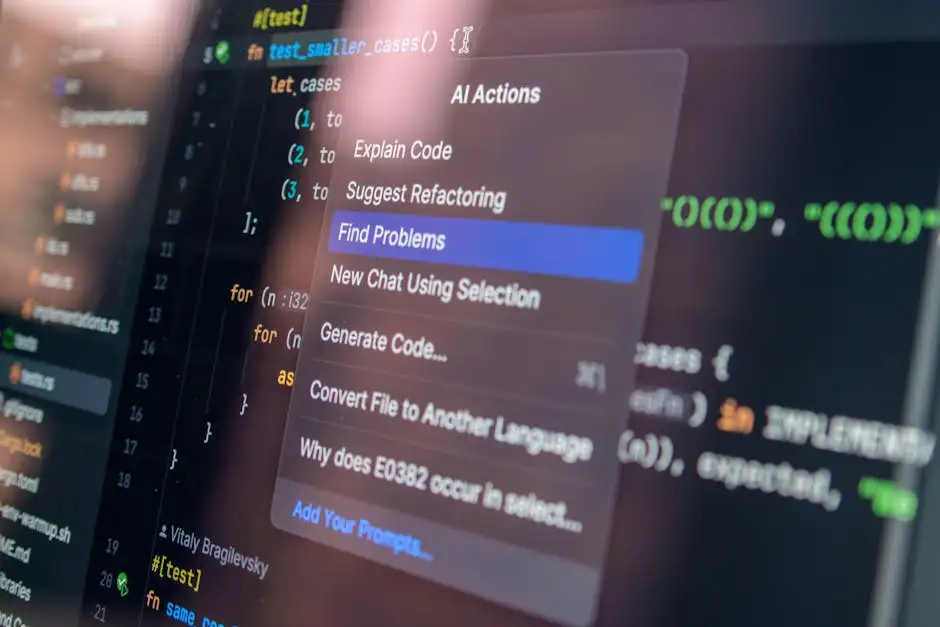
Designing Your AI App’s User Interface is a crucial step in the development process, as it determines how users will interact with your application and perceive its overall value. When building an AI app without coding skills, it’s essential to focus on creating an intuitive and user-friendly interface that effectively communicates the app’s purpose and functionality. To achieve this, you’ll need to consider several key factors, including the app’s layout, visual design, and navigation.
First and foremost, you’ll need to decide on the overall layout of your app’s user interface. This involves determining the placement and organization of various elements, such as buttons, menus, and content areas. A well-designed layout should be easy to follow, with a clear hierarchy of information and a logical flow of navigation. You can use a variety of tools and techniques to help you create a effective layout, including wireframing, prototyping, and user testing.
In addition to the layout, the visual design of your app’s user interface is also critical. This includes the selection of colors, fonts, and imagery, as well as the overall aesthetic and style of the app. When choosing a visual design, it’s essential to consider your target audience and the app’s purpose. For example, a financial app may require a more formal and professional design, while a social media app may be more playful and colorful. You can use a variety of design tools and resources, such as design systems, style guides, and UI kits, to help you create a consistent and effective visual design.
Navigation is another critical aspect of your app’s user interface. This involves determining how users will move through the app, and how they will access its various features and functions. A well-designed navigation system should be easy to use, with clear and concise labels, and a logical structure. You can use a variety of navigation patterns, such as tabs, menus, and breadcrumbs, to help users find their way around the app.
When designing your AI app’s user interface, it’s also essential to consider the app’s functionality and purpose. For example, if your app is designed to provide personalized recommendations, you’ll need to create an interface that allows users to input their preferences and receive relevant suggestions. Similarly, if your app is designed to perform complex tasks, such as data analysis or image recognition, you’ll need to create an interface that allows users to upload data, select options, and view results.
To create a user-friendly interface, you can use a variety of design tools and platforms, such as graphical user interface (GUI) builders, web-based design tools, and low-code development platforms. These tools allow you to create and customize your app’s user interface without requiring extensive coding knowledge. Many of these tools also provide pre-built templates, drag-and-drop interfaces, and WYSIWYG editors, making it easy to design and build your app’s user interface.
In addition to using design tools and platforms, you can also leverage various AI-powered design technologies, such as machine learning-based design assistants, natural language processing (NLP) based design tools, and computer vision-based design tools. These technologies can help you create a more intuitive and user-friendly interface, by providing automated design suggestions, layout recommendations, and content optimization.
When building your AI app’s user interface, it’s also essential to consider accessibility and usability. This involves designing an interface that is easy to use, regardless of the user’s abilities or disabilities. You can use various accessibility guidelines, such as the Web Content Accessibility Guidelines (WCAG), to help you create an accessible and usable interface. You can also conduct user testing and usability studies to identify areas for improvement and ensure that your app’s user interface meets the needs of your target audience.
Finally, when designing your AI app’s user interface, it’s essential to consider the app’s overall user experience. This involves creating an interface that is engaging, intuitive, and enjoyable to use. You can use various design principles, such as gamification, personalization, and storytelling, to create an interface that resonates with your target audience. You can also use various metrics and analytics tools, such as user engagement metrics, conversion rates, and customer satisfaction scores, to measure the effectiveness of your app’s user interface and identify areas for improvement.
In conclusion, designing your AI app’s user interface is a critical step in the development process, requiring careful consideration of layout, visual design, navigation, functionality, and accessibility. By using a variety of design tools and platforms, AI-powered design technologies, and design principles, you can create a user-friendly and effective interface that meets the needs of your target audience and provides a positive user experience. Whether you’re building a simple chatbot or a complex data analysis app, a well-designed user interface is essential for success, and can help you differentiate your app from competitors and establish a loyal user base.
4. Integrating AI Functionality into Your App
Integrating AI functionality into your app is a crucial step in building a comprehensive and user-friendly AI application. This step involves incorporating various AI-powered features and tools into your app to enhance its functionality and performance. In this section, we will delve into the details of integrating AI functionality into your app, exploring the various options and tools available, and providing guidance on how to implement them without requiring extensive coding skills.
To begin with, it is essential to understand the different types of AI functionalities that can be integrated into your app. These include natural language processing, machine learning, computer vision, and predictive analytics, among others. Each of these functionalities has its unique applications and use cases, and selecting the right one for your app depends on its specific requirements and goals. For instance, if you are building a chatbot app, you may want to integrate natural language processing functionality to enable the chatbot to understand and respond to user queries.
One of the most popular AI functionalities that can be integrated into an app is machine learning. Machine learning involves training algorithms on large datasets to enable them to make predictions, classify objects, and recognize patterns. In an app, machine learning can be used to personalize user experiences, recommend products or services, and detect anomalies. There are several machine learning frameworks and tools available that can be easily integrated into an app without requiring extensive coding skills. These include Google’s TensorFlow, Microsoft’s Azure Machine Learning, and Apple’s Core ML.
Another important AI functionality that can be integrated into an app is natural language processing. Natural language processing involves analyzing and understanding human language to extract meaning and context. In an app, natural language processing can be used to enable chatbots, voice assistants, and language translation features. There are several natural language processing frameworks and tools available that can be easily integrated into an app, including IBM’s Watson, Google’s Dialogflow, and Microsoft’s Bot Framework.
In addition to machine learning and natural language processing, computer vision is another AI functionality that can be integrated into an app. Computer vision involves analyzing and understanding visual data from images and videos to extract insights and meaning. In an app, computer vision can be used to enable features such as facial recognition, object detection, and image classification. There are several computer vision frameworks and tools available that can be easily integrated into an app, including Google’s Cloud Vision, Amazon’s Rekognition, and Microsoft’s Azure Computer Vision.
To integrate AI functionality into your app, you can use a variety of tools and platforms that provide pre-built AI models and APIs. These tools and platforms include Google’s Cloud AI Platform, Microsoft’s Azure Cognitive Services, and IBM’s Watson Studio. These platforms provide a range of pre-built AI models and APIs that can be easily integrated into an app using simple APIs and SDKs. They also provide tutorials, documentation, and support to help developers without extensive coding skills to integrate AI functionality into their apps.
Furthermore, there are several low-code and no-code platforms available that can be used to build AI-powered apps without requiring extensive coding skills. These platforms include Appy Pie, GoodBarber, and Bubble. These platforms provide a range of pre-built templates, drag-and-drop tools, and visual interfaces that can be used to build and deploy AI-powered apps quickly and easily. They also provide integration with various AI frameworks and tools, making it easy to incorporate AI functionality into an app.
In conclusion, integrating AI functionality into your app is a crucial step in building a comprehensive and user-friendly AI application. With the various AI functionalities, tools, and platforms available, it is possible to integrate AI functionality into an app without requiring extensive coding skills. By selecting the right AI functionality and using the right tools and platforms, developers can build AI-powered apps that provide personalized and engaging user experiences, drive business value, and stay ahead of the competition. Whether you are building a chatbot, a virtual assistant, or a predictive analytics app, integrating AI functionality is essential to creating a successful and effective AI application.
5. Deploying and Maintaining Your AI App
Deploying and maintaining your AI app is a crucial step in the process of building your first AI app without coding skills. Once you have designed and trained your AI model, you need to deploy it in a way that allows users to interact with it. This involves setting up a user interface, integrating the model with a backend service, and ensuring that the app is scalable and secure.
The first step in deploying your AI app is to choose a deployment platform. There are several options available, including cloud-based platforms such as Google Cloud, Amazon Web Services, and Microsoft Azure, as well as on-premises solutions. When choosing a deployment platform, consider factors such as scalability, security, and cost. You should also consider the level of support and maintenance provided by the platform, as well as the ease of integration with your AI model.
Once you have chosen a deployment platform, you need to set up a user interface for your AI app. This can be a web-based interface, a mobile app, or a desktop application, depending on your target audience and the type of AI model you have built. The user interface should be intuitive and user-friendly, allowing users to input data and receive output from the AI model. You can use a variety of tools and frameworks to build the user interface, including web development frameworks such as React or Angular, or mobile app development frameworks such as Flutter or Xamarin.
In addition to setting up a user interface, you also need to integrate your AI model with a backend service. This involves setting up an API that allows the user interface to communicate with the AI model, as well as integrating the model with a database or other data storage system. You can use a variety of tools and frameworks to build the backend service, including serverless computing platforms such as AWS Lambda or Google Cloud Functions, or containerization platforms such as Docker.
Once you have set up the user interface and backend service, you need to ensure that the AI app is scalable and secure. This involves setting up load balancing and auto-scaling to handle changes in traffic, as well as implementing security measures such as encryption and access controls. You should also implement monitoring and logging to track the performance of the app and identify any issues that may arise.
Maintaining your AI app is also an important part of the deployment process. This involves updating the AI model to ensure that it remains accurate and effective, as well as updating the user interface and backend service to ensure that they remain secure and scalable. You should also monitor the app for any issues that may arise, and implement fixes and updates as needed.
One of the key challenges of deploying and maintaining an AI app is ensuring that the AI model remains accurate and effective over time. This can be a challenge because AI models can drift over time, meaning that their performance can degrade as the data they are trained on changes. To address this challenge, you can use a variety of techniques, including retraining the model on new data, or using techniques such as transfer learning to adapt the model to new data.
Another challenge of deploying and maintaining an AI app is ensuring that the app is secure. This is a challenge because AI apps can be vulnerable to a variety of security threats, including data breaches and cyber attacks. To address this challenge, you can use a variety of security measures, including encryption and access controls, as well as implementing secure coding practices and regularly updating the app to patch any security vulnerabilities.
In conclusion, deploying and maintaining your AI app is a crucial step in the process of building your first AI app without coding skills. By choosing a deployment platform, setting up a user interface, integrating the model with a backend service, and ensuring that the app is scalable and secure, you can create an AI app that is effective and easy to use. Additionally, by monitoring the app for any issues that may arise, and implementing fixes and updates as needed, you can ensure that the app remains accurate and effective over time. With the right tools and techniques, you can build an AI app that is secure, scalable, and effective, and that provides value to your users.
Conclusion
In conclusion, building your first AI app without coding skills is a challenging but achievable task. Throughout this blog, we have discussed the various steps and tools that can help you create a functional AI-powered application without requiring extensive coding knowledge. From understanding the basics of AI and machine learning to selecting the right development platform and tools, we have covered it all.
One of the most important things to keep in mind when building an AI app without coding skills is to start small and be patient. Building a complex AI-powered application can take time, and it is essential to break down the development process into smaller, manageable tasks. This will not only help you stay organized but also ensure that you can focus on each aspect of the development process without feeling overwhelmed.
Another crucial aspect of building an AI app without coding skills is to choose the right development platform and tools. As we discussed earlier, there are several platforms and tools available that can help you build AI-powered applications without requiring extensive coding knowledge. These platforms and tools provide pre-built models, drag-and-drop interfaces, and other features that can simplify the development process and make it more accessible to non-coders.
In addition to selecting the right development platform and tools, it is also essential to have a clear understanding of the problem you are trying to solve with your AI app. This will help you determine the type of data you need to collect, the type of models you need to build, and the type of features you need to include in your application. Having a clear understanding of the problem you are trying to solve will also help you stay focused and motivated throughout the development process.
Furthermore, building an AI app without coding skills requires a willingness to learn and adapt. As you work on your application, you will inevitably encounter challenges and setbacks, and it is essential to be able to learn from these experiences and adapt your approach as needed. This may involve seeking out additional resources and support, such as online tutorials and forums, or seeking guidance from more experienced developers.
Finally, building an AI app without coding skills can be a rewarding and empowering experience. Not only can it help you create a functional AI-powered application, but it can also help you develop new skills and gain a deeper understanding of the AI and machine learning landscape. As the demand for AI-powered applications continues to grow, having the ability to build and deploy these applications without requiring extensive coding knowledge can be a significant advantage, both personally and professionally.
In terms of next steps, there are several things you can do to continue learning and building your skills. One option is to explore additional development platforms and tools, such as Google’s AutoML or Microsoft’s Azure Machine Learning. These platforms provide a range of features and resources that can help you build and deploy AI-powered applications, and they often offer free or low-cost trials that can help you get started.
Another option is to seek out additional training and education, such as online courses or certification programs. These programs can provide a more in-depth and structured approach to learning, and they can help you develop the skills and knowledge you need to build more complex AI-powered applications. Some popular options include Coursera, Udemy, and edX, which offer a range of courses and programs on AI, machine learning, and related topics.
Ultimately, building your first AI app without coding skills requires a combination of patience, persistence, and practice. With the right development platform and tools, a clear understanding of the problem you are trying to solve, and a willingness to learn and adapt, you can create a functional AI-powered application that meets your needs and achieves your goals. Whether you are a seasoned developer or a beginner, building an AI app without coding skills can be a rewarding and empowering experience that can help you Unlock new opportunities and achieve new heights.
By following the steps and guidelines outlined in this blog, you can create a functional AI-powered application that meets your needs and achieves your goals. Remember to start small, be patient, and stay focused, and don’t be afraid to seek out additional resources and support when you need it. With the right approach and mindset, you can build a successful AI app without coding skills and achieve your goals in the world of AI and machine learning.
In the future, we can expect to see even more development platforms and tools that can help non-coders build AI-powered applications. As the demand for AI-powered applications continues to grow, we can expect to see new and innovative solutions emerge that can simplify the development process and make it more accessible to a wider range of users. Whether you are a developer, a business leader, or simply an individual with a great idea, building an AI app without coding skills can be a powerful way to unlock new opportunities and achieve new heights.
As we move forward in the world of AI and machine learning, it is essential to stay up-to-date with the latest developments and advancements. This can involve following industry leaders and experts, attending conferences and events, and participating in online forums and discussions. By staying informed and engaged, you can stay ahead of the curve and take advantage of new and emerging opportunities in the world of AI and machine learning.
In the end, building your first AI app without coding skills is a challenging but achievable task that can help you unlock new opportunities and achieve new heights. With the right development platform and tools, a clear understanding of the problem you are trying to solve, and a willingness to learn and adapt, you can create a functional AI-powered application that meets your needs and achieves your goals. Whether you are a seasoned developer or a beginner, building an AI app without coding skills can be a rewarding and empowering experience that can help you achieve success in the world of AI and machine learning.
Frequently Asked Questions
What is the best platform to start with for building an AI app without coding skills?
The best platform to start with is a visual interface platform like Google’s Teachable Machine or Microsoft’s Azure Machine Learning. These platforms provide a user-friendly interface that allows you to build and train AI models without writing code.
What type of AI app can I build without coding skills?
You can build a variety of AI apps, such as chatbots, image classifiers, and predictive models, using pre-built templates and drag-and-drop tools. These apps can be used for a range of applications, from customer service to data analysis.
Do I need to have any math or science background to build an AI app?
While a math or science background can be helpful, it’s not necessary to build an AI app without coding skills. Many platforms provide pre-built models and automated processes that handle the complex math and science behind AI.
How long does it take to build an AI app without coding skills?
The time it takes to build an AI app without coding skills can vary depending on the complexity of the app, but most platforms provide templates and tools that allow you to build a basic app in a matter of hours. With practice and experience, you can build more complex apps in a shorter amount of time.
What are the limitations of building an AI app without coding skills?
The limitations of building an AI app without coding skills include limited customization and control over the app’s functionality. However, many platforms provide a range of pre-built models and templates that can be used to build a wide range of AI apps, and some platforms also provide the option to export the model and customize it further with code.